
 intermediate
SERP Content Analyzer
Analyze top-ranking search results to understand what content performs best for any keyword and gain competitive insights.
serp-analysiscompetitive-researchkeyword-analysiscontent-strategy
Skip the setup. Run keyword research, content briefs, SERP analysis, on-page optimization, and weekly reporting on autopilot.
Each template is a visual AI workflow you import in one click, connect to your SEO stack, and run on demand or on a schedule.
Templates handle keyword research, briefs, on-page audits, and reporting end-to-end.
Google Search Console, Ahrefs, Semrush, your CMS, Slack, Sheets, Notion.
Visual drag-and-drop builder. Import a template and run it in minutes.
From keyword research to weekly Google Search Console reporting, every common SEO task has a template you can import in one click.
intermediateAnalyze top-ranking search results to understand what content performs best for any keyword and gain competitive insights.
 beginner
Discover high-quality backlink opportunities to boost your website's domain authority and search rankings.
 intermediate
Automatically create comprehensive SEO content briefs by analyzing top-ranking pages and extracting key insights.
 beginner
Analyze keyword click-through rates and get actionable insights to improve your SEO performance and search rankings.
 beginner
Automatically generate comprehensive SEO performance reports from Google Search Console data with AI-powered insights.
 beginner
Automatically analyze any webpage and receive actionable SEO recommendations to improve search rankings.
Pick from 6 SEO workflows above. Each one is pre-wired with the right nodes and integrations.
Link Google Search Console, your CMS, Sheets, Slack, or any SEO tool. Credentials are stored encrypted.
Trigger workflows manually, on a schedule (weekly reports), or via API from your existing tools.
Every template uses pre-built integrations. Add your own API keys for tools we don't cover yet; every workflow supports HTTP requests.
Get a free account, import any of the 6 SEO templates, and run your first workflow in minutes.
Start free with an SEO templateDescribe the flow in one sentence and Evaligo builds it: prompts, web scraping, data extraction, tools and agents as connected nodes. Drag nodes on the canvas to edit it, or change it by instruction.
View DocsBuild a flow free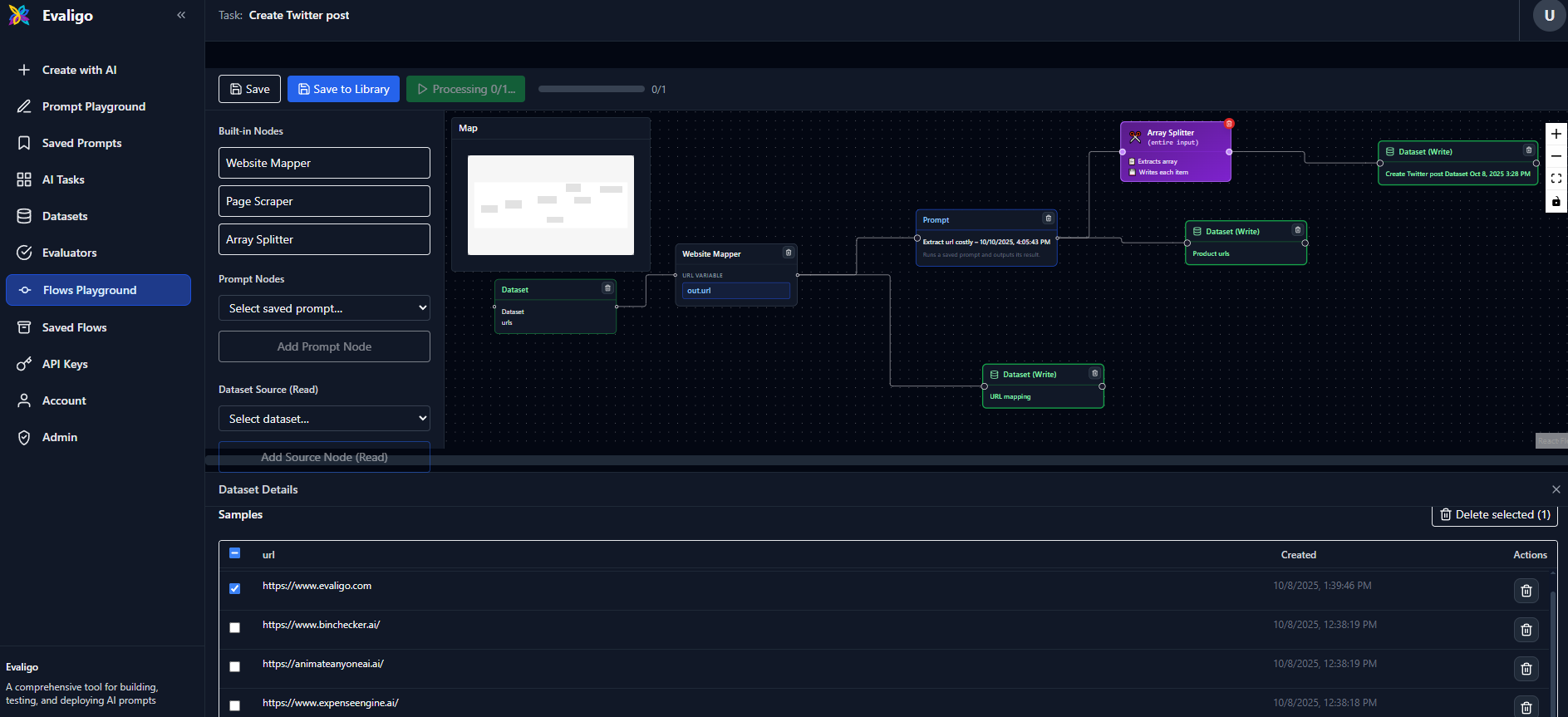
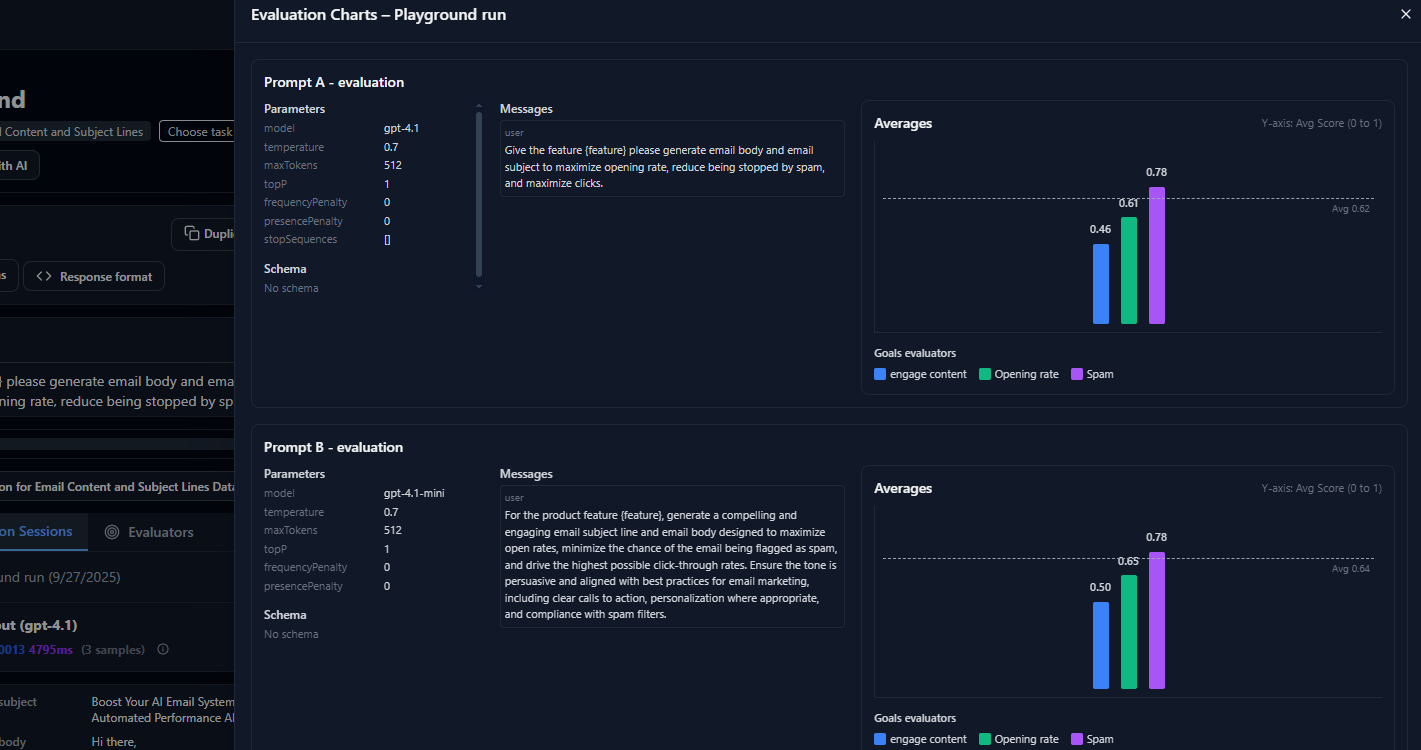
Pick the models you want to compare: OpenAI, Google, Anthropic, and open-source models such as DeepSeek, MiniMax, Kimi and Qwen through one OpenRouter key. Each variant runs the same flow on the same inputs; only the model, prompt or reasoning setting changes.
View DocsCompare models freeRun every variant over a dataset of real inputs. If you have none yet, Evaligo generates a realistic test set from a one-line description, so a 30-sample comparison does not wait for you to collect data.
View DocsCreate a test set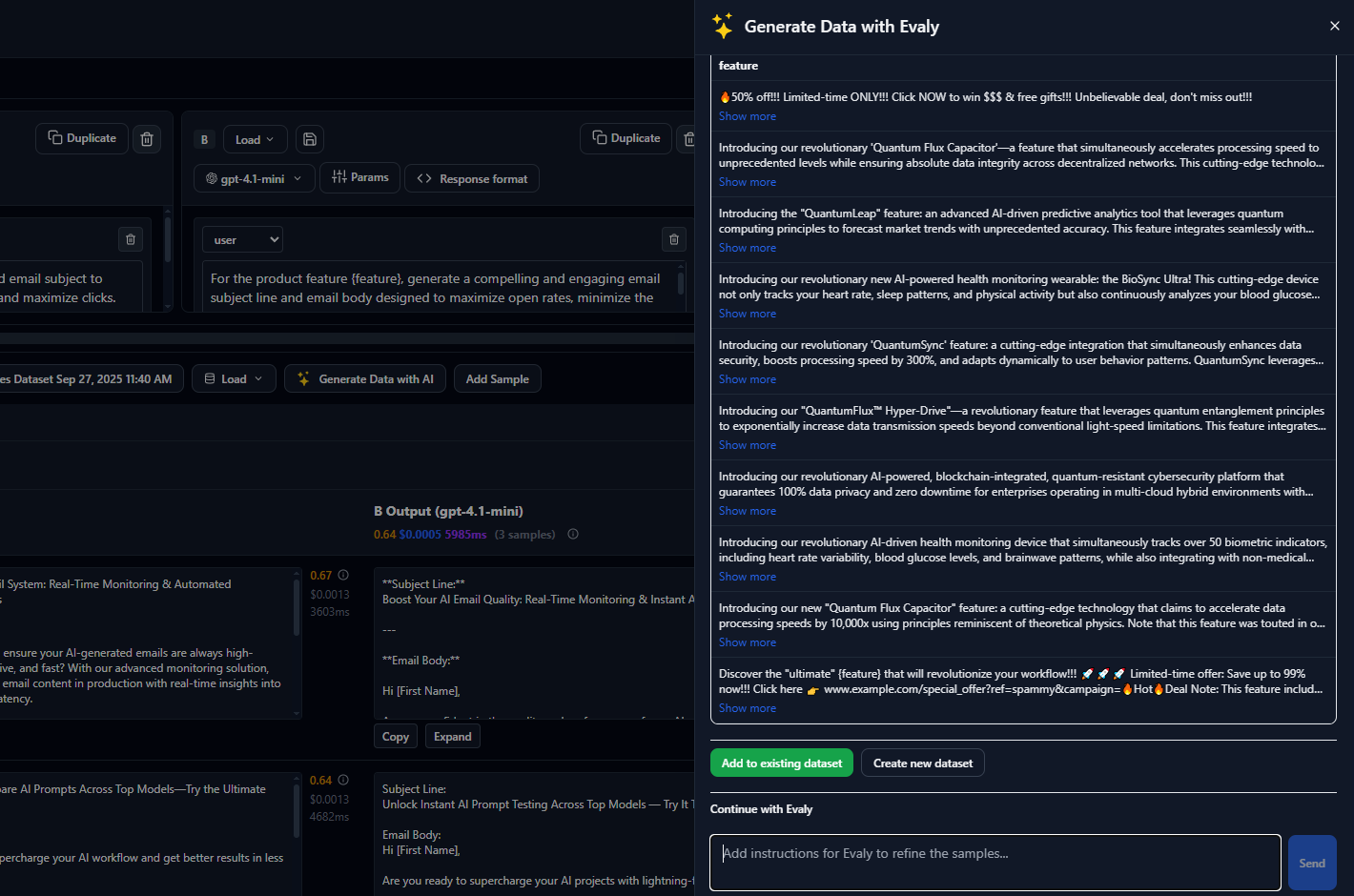
Write the criteria once: what a good output must do, and what costs points. AI judges score every output against the rubric without knowing which variant produced it, and record a one-line reason per score.
View DocsWrite your first rubric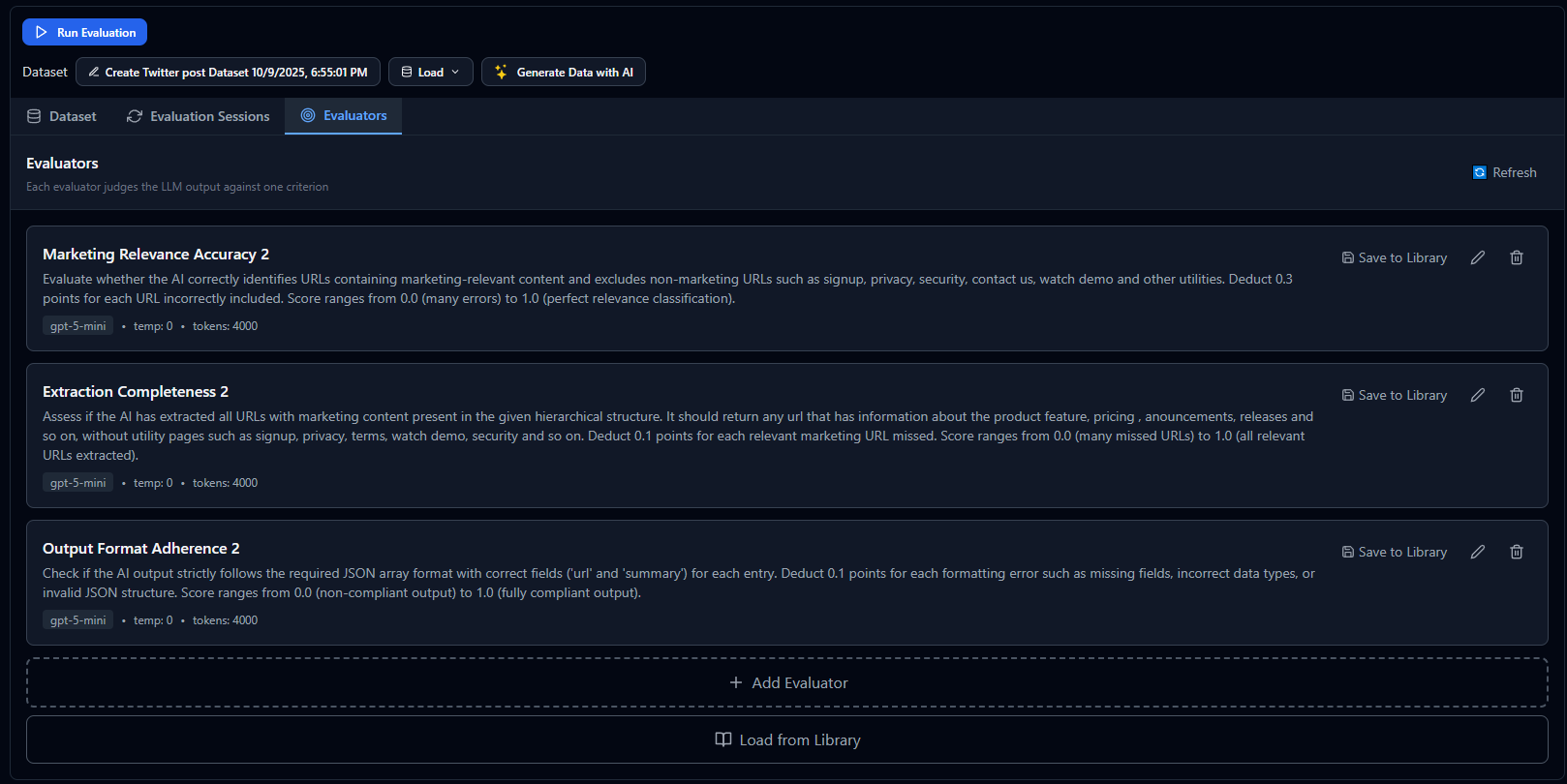
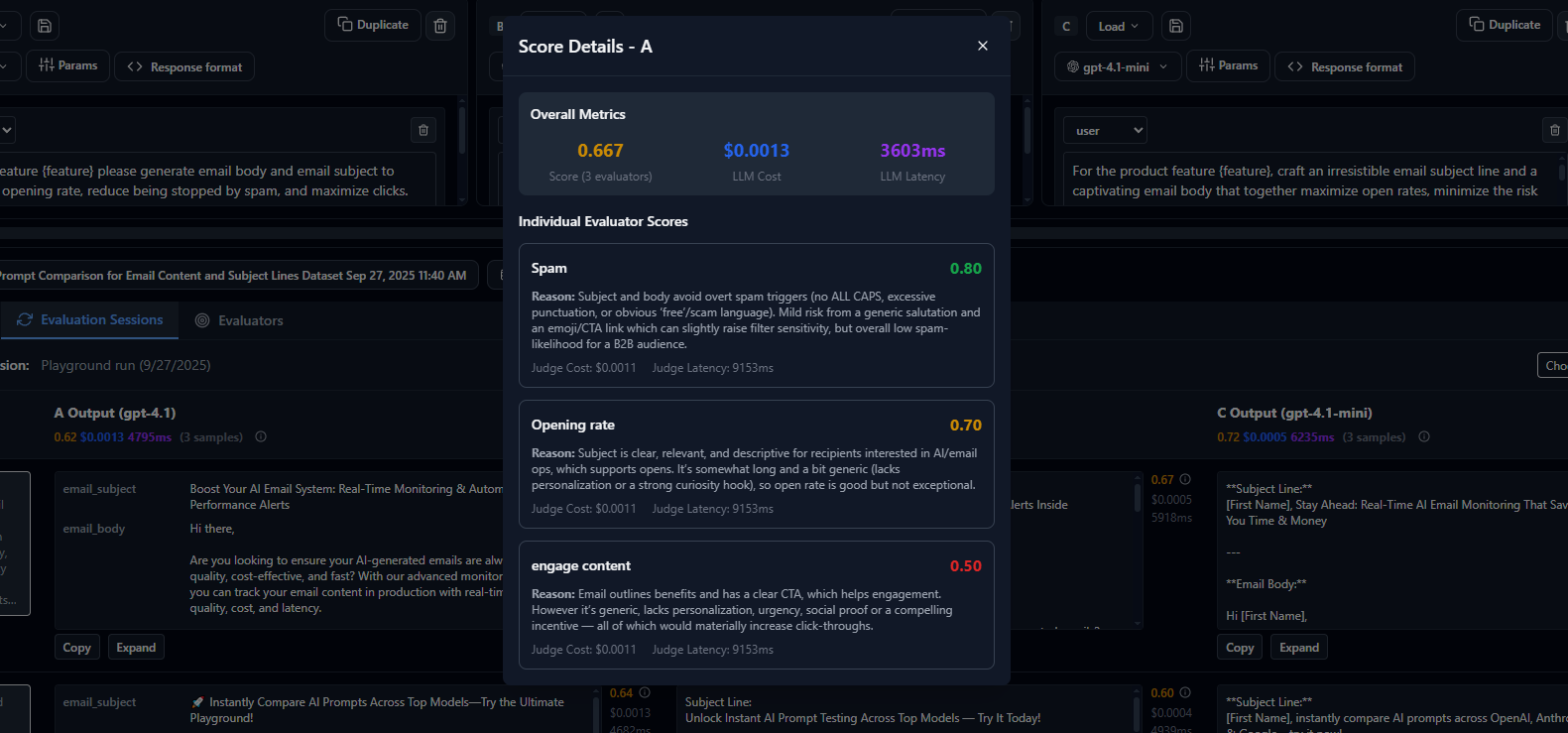
Use one judge model or a panel of three from different vendors, averaged. Per-judge scores stay visible, so you can see where the judges agree and where they do not.
View DocsSet up a judge panelModel output and judging both vary between runs. Re-run an experiment with one click and compare runs side by side before you decide.
View DocsRun an experimentEvery experiment ends in one table: score, flawless outputs, cost per output and latency for each variant, with a score distribution per sample. Export it as a PDF report.
View DocsMake the winning model, prompt or flow the live version with one click. The flow keeps its inputs, outputs and API endpoint.
View DocsWhen an experiment finishes, one click trains a router on its scoreboard. It learns which model handles which kind of input, shows quality against cost with 95% error bars so you can choose a working point, and then runs as a model in your next experiment or in a deployed flow.
View DocsAny flow deploys as a REST API with authentication, documentation and code examples. Batch processing and monitoring are built in.
View DocsEvery number below comes from an experiment you can reproduce: the same flow, the same inputs, blind judges, cost and speed per output.
Six models rewrite 30 dating bios; three blind judges. gpt-5.6-luna 0.883, gemini-3.7-flash 0.879, DeepSeek V4 Pro 0.849.
Read the scoreboardSalary negotiation coach on 30 offers. Gemini Flash 3.5 scored 0.68; the 3.7 release scored 0.75 at 3.5x lower cost, with no prompt change.
Read the scoreboardOne agent, an assembly line, or agent plus editor: the same task built three ways, eight model mixes, a 14-criteria judge panel.
Read the scoreboardBoth plans include the flow builder, experiments and API deployment.
Credits are used for AI model calls with platform API keys. Use your own API keys for unlimited usage on any plan.